How to Translate Manga: A Complete Guide
Interested in translating manga but not sure where to start? This practical guide walks you through the entire workflow—from preparing files to translating dialogue, refining layout in an online typesetting editor, and exporting clean chapters.
Understanding Manga Translation Basics
Before diving into the process of translation, it is important to understand that manga translation involves more than converting text from one language to another. It requires:
- Familiarity with the source language—usually Japanese, Korean, or Chinese
- Cultural context
- Manga-specific terms and genre conventions
- Attention to visual context, panel flow, and speech bubble space
Detailed Translation Process
1. Prepare Your Manga
First, prepare a digital copy of the manga you want to translate. On MangaTranslate, supported upload formats include:
- High-resolution image files (JPG, PNG, WEBP)
- PDF files
- Batch archive files (ZIP, TAR, TAR.GZ)
- Digital manga pages from legitimate sources
2. Apply Browser-Based Translation Tools
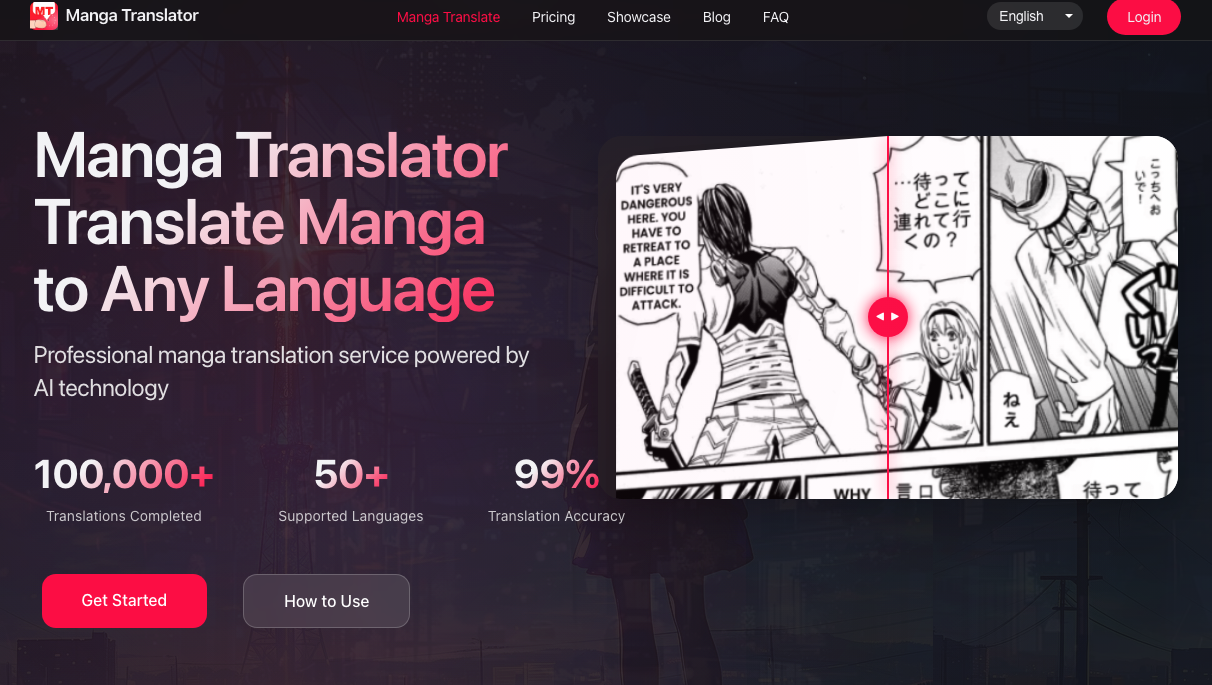
For a smooth, no-install workflow, you can use MangaTranslate directly in your browser. Here's how:
- Open MangaTranslate — you can start right away with 5 free daily credits (no signup required) and earn additional daily check-in credits when signed in
- Select your source language and choose from 100+ target languages
- Add optional custom translation prompts (for character names, honorifics, glossary terms, or tone)
- Batch upload your images, PDF, or ZIP/TAR/TAR.GZ archive and let the AI detect, translate, and typeset the pages
3. Review, Edit, and Export
Once the initial translation finishes, use the built-in online typesetting editor to polish the result:
- Edit dialogue directly for contextual accuracy and natural flow
- Move or resize text boxes so lines fit cleanly inside speech bubbles
- Switch fonts or adjust styling to match the scene's tone
- Check that cultural references and character voices stay consistent
- Export your finished chapter as a ZIP archive or PDF
Best Practices for Manga Translation
- Maintain the Context
- Always keep the visuals and panel pacing in mind
- Keep character voices and naming consistent across chapters
- Retain the tone and mood of the original scene
- Cultural Elements to Take Care Of
- Decide consistently how to handle Japanese honorifics (
-san,-kun,-senpai) - Add brief translator notes only when cultural references genuinely need context
- Retain cultural nuances wherever natural
- Technical Elements
- Use readable, appropriate comic fonts
- Keep translated phrasing concise enough to fit speech bubbles comfortably
- Follow the natural reading direction for the target language
Issues and Solutions
Challenge 1: Onomatopoeia
Many sound effects in Japanese manga cannot be translated literally. Common approaches include:
- Keeping the original sound effect with a small translation note nearby
- Replacing it with an equivalent sound effect in the target language
Challenge 2: Cultural References
When facing Japanese-specific cultural elements or wordplay:
- Use custom translation prompts to guide how recurring terms are handled
- Find natural cultural equivalents when appropriate
- Keep original terms with brief context when preserving authenticity matters most
Tools and Resources
To translate manga effectively, combine these resources:
- Translation & Typesetting Tools
- MangaTranslate — browser-based batch translation, custom prompts, built-in online typesetting editor, and ZIP/PDF export
- Dedicated glossary sheets for multi-chapter series
- Reference Materials
- Japanese-English (or target-language) dictionaries
- Manga terminology and honorific guides
- Cultural reference resources
Tips for Quality Translation
- Read the Entire Chapter First
- Gain full insight into the plot and character dynamics
- Identify recurring themes, attack names, and terminology
- Set up custom translation prompts before running a batch
- Be Consistent
- Maintain a terminology glossary for names and places
- Keep each character's voice distinct
- Use consistent formatting and fonts for narration, dialogue, and thoughts
- Quality Assurance
- Proofread translated pages in the online editor before exporting
- Check bubble margins, line breaks, and readability in the target language
- Seek feedback from native speakers when localizing for a wider audience
Conclusion
Translating manga blends language, culture, and visual craft. With browser-based tools like MangaTranslate—combining batch AI translation, custom prompts, an online typesetting editor, and ZIP/PDF export—you can produce clean, readable translations while preserving the spirit of the original artwork.
Remember that practice makes perfect, and every chapter sharpens your instincts. Start with shorter chapters and build up to longer series as you refine your workflow.
Happy translating!